 | 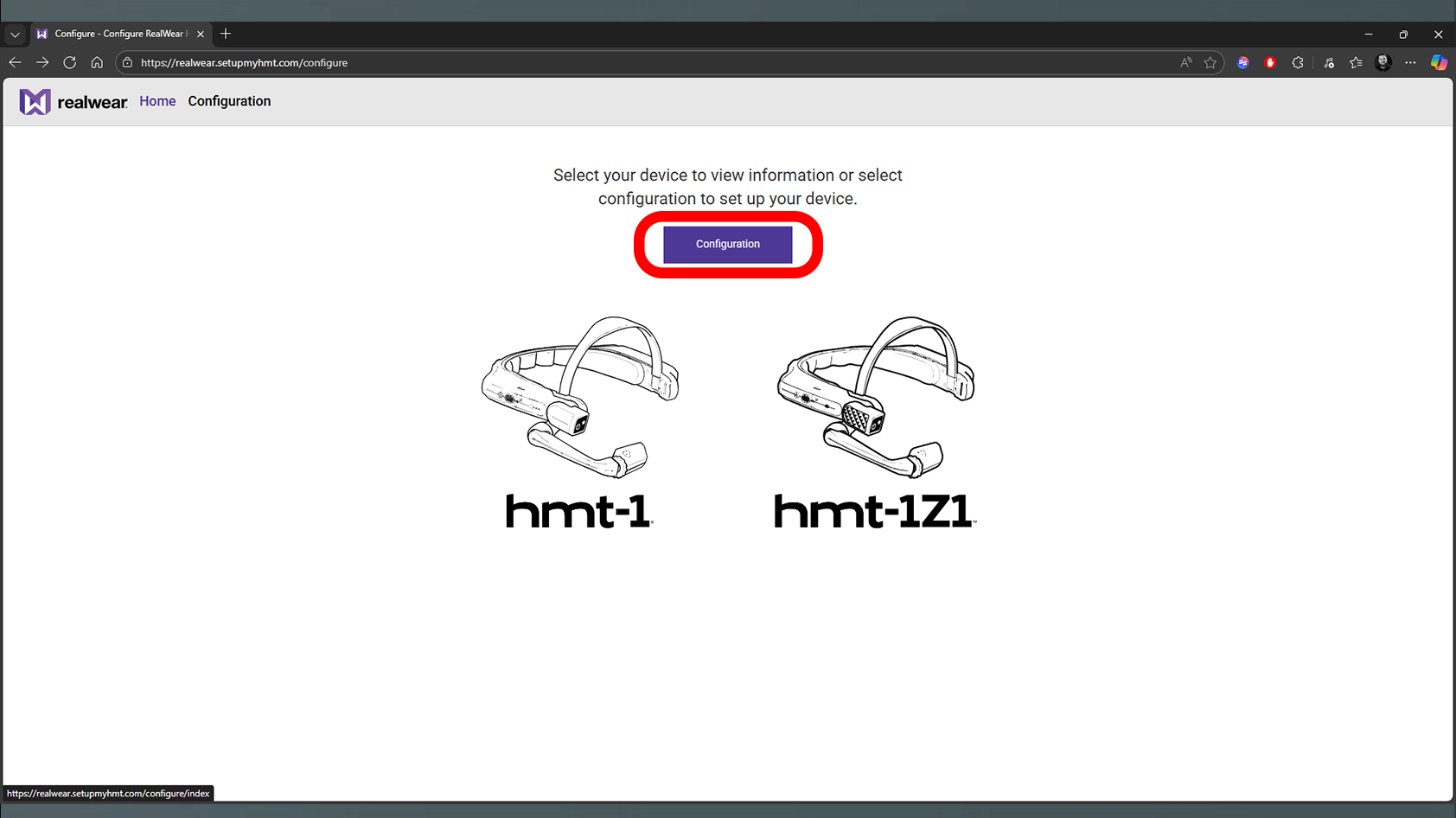 |
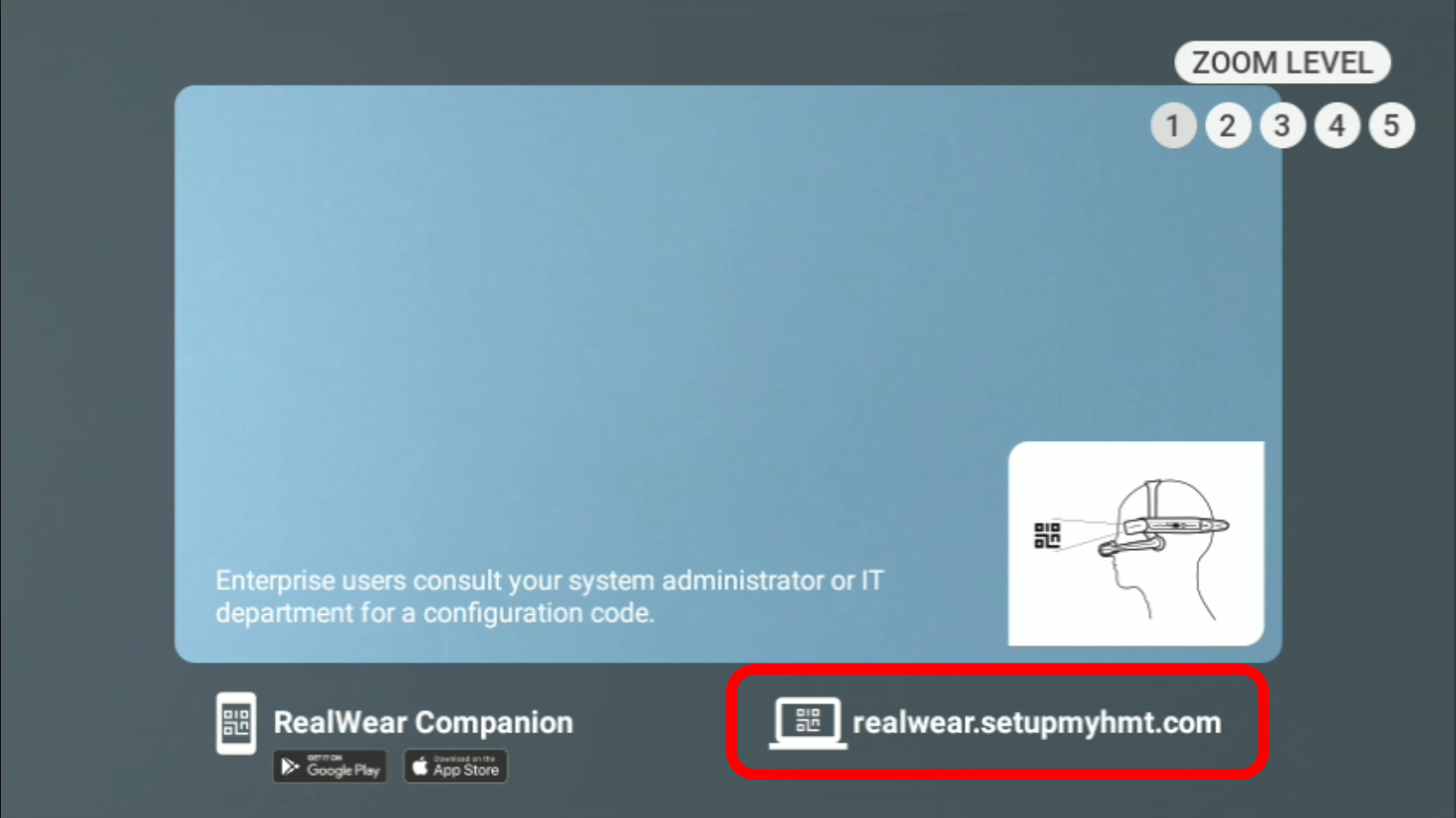
| 1. First, turn on the device by holding the power button for three seconds located on the right side of the device. A screen will appear with instructions on how to set the device up via app or website. | 2. For this guide we will be using the website so please visit: realwear.setupmyhmt.com and select the button Configuration located in the middle of the page. |
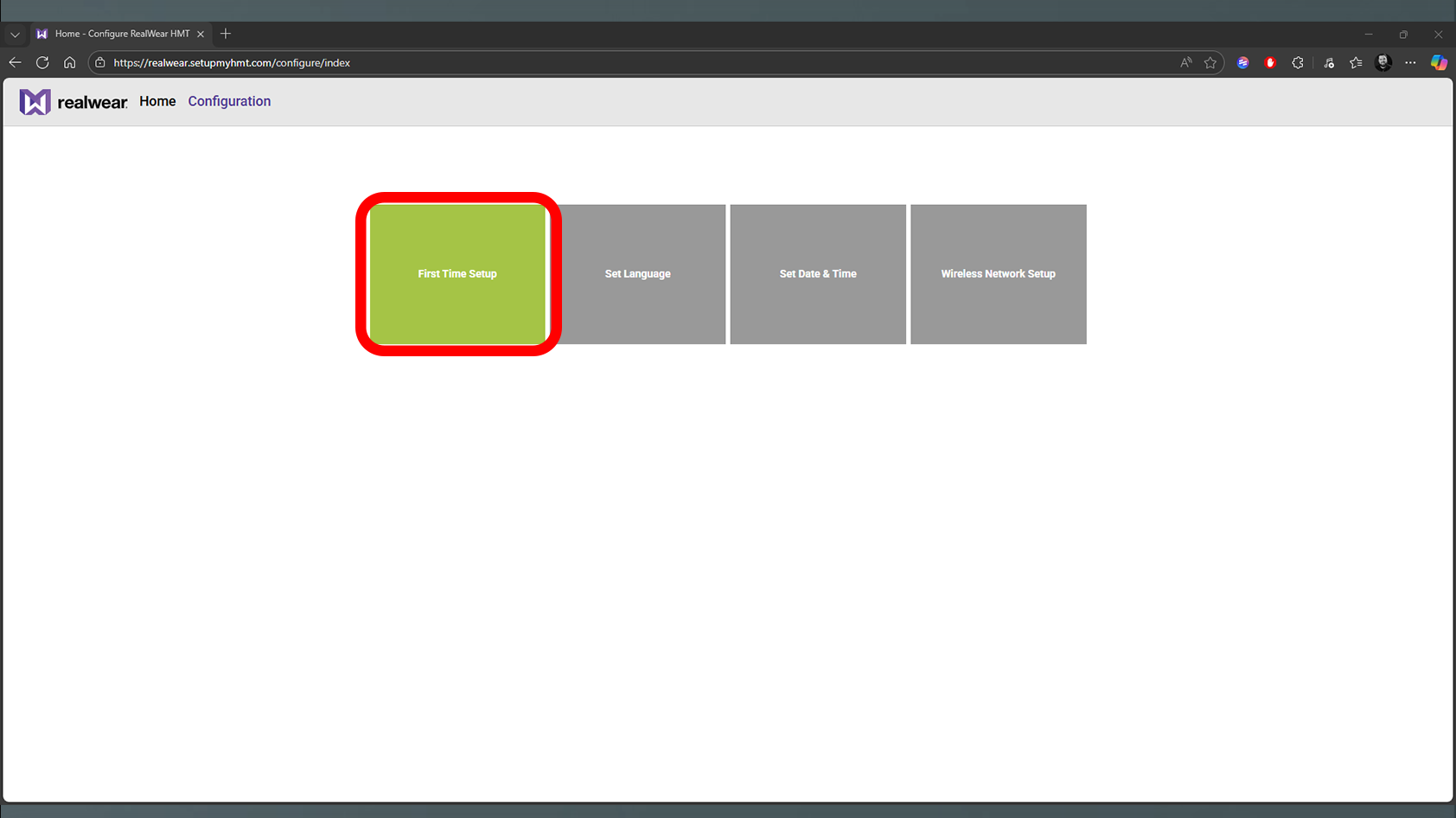 | 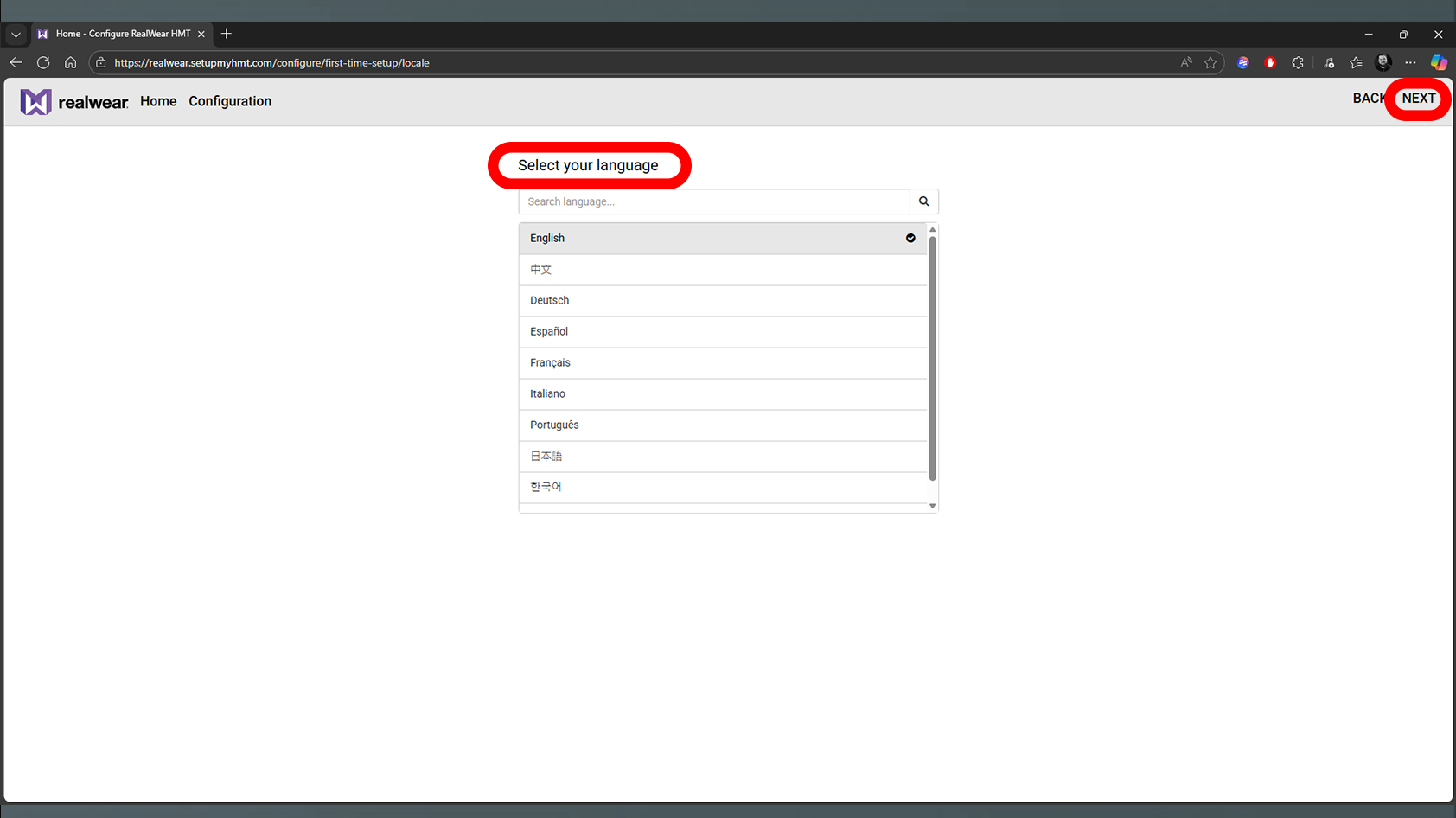 |
| 3. Select the first box titled First Time Setup. | 4. Select your preferred language then click on NEXT in the top right corner. |
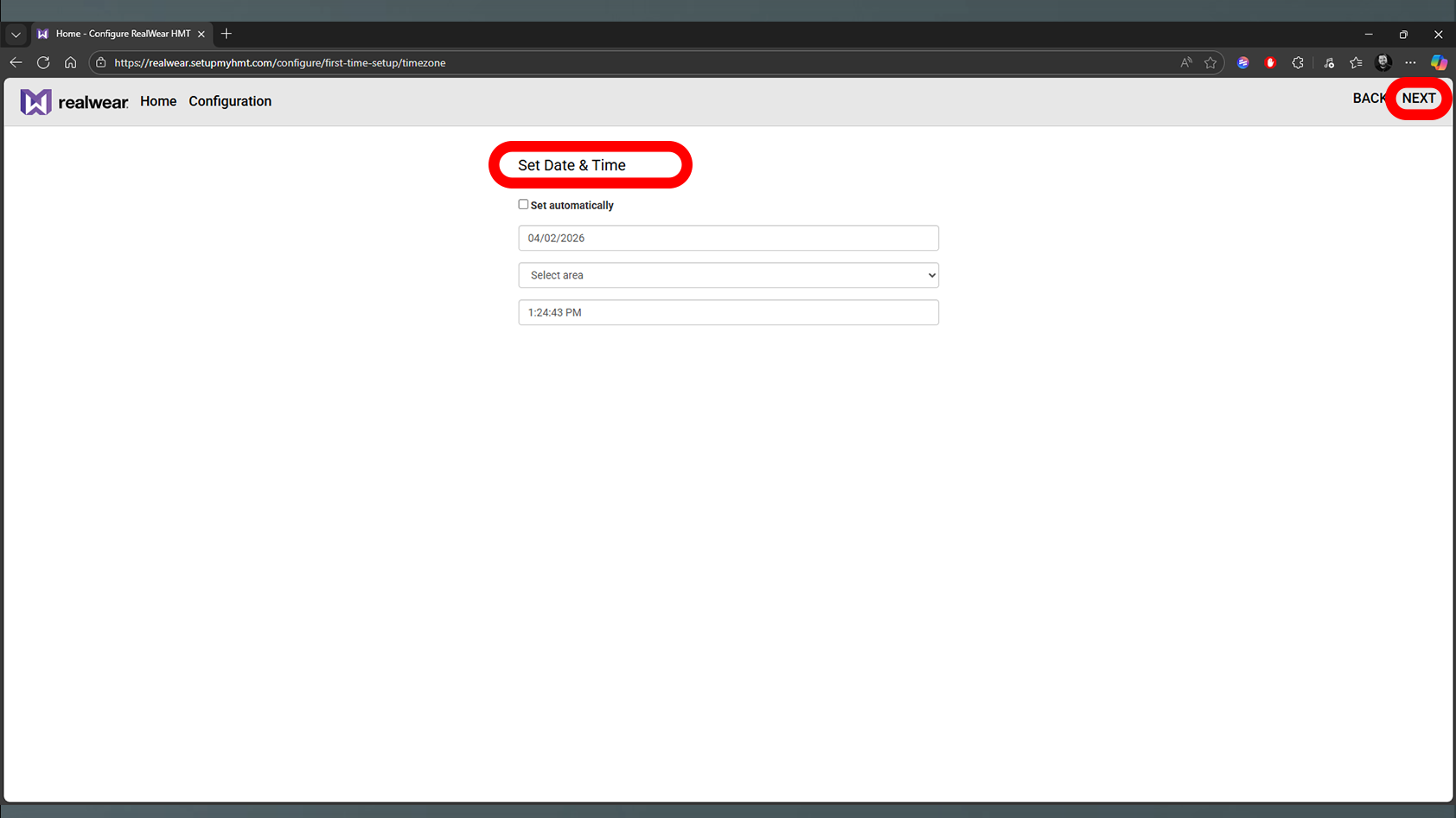 | 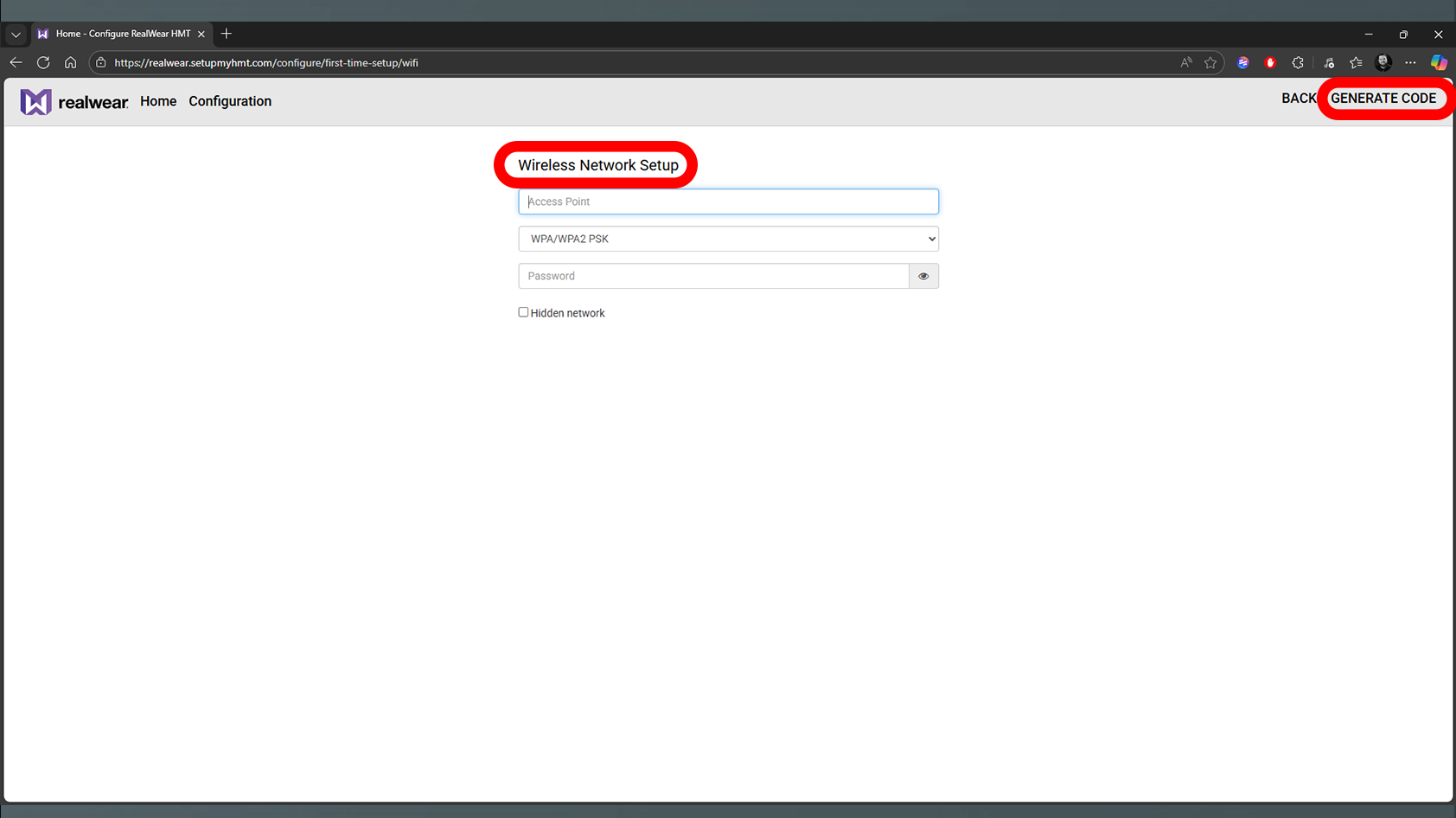 |
| 5. Set your date & time then click on NEXT in the top right corner | 6. On the next page fill in your wireless network information then click on GENERATE CODE in the top right corner. |
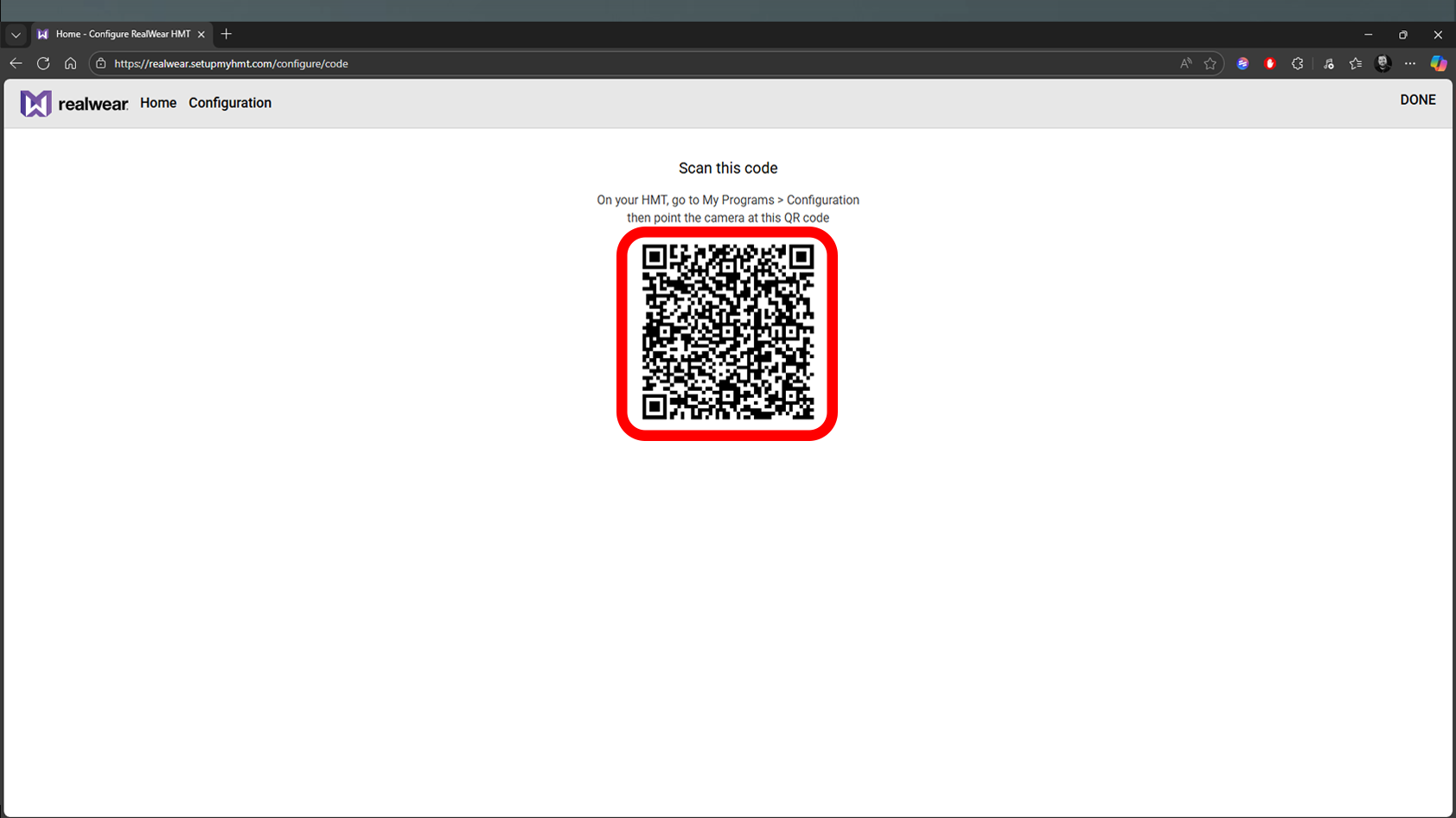 | 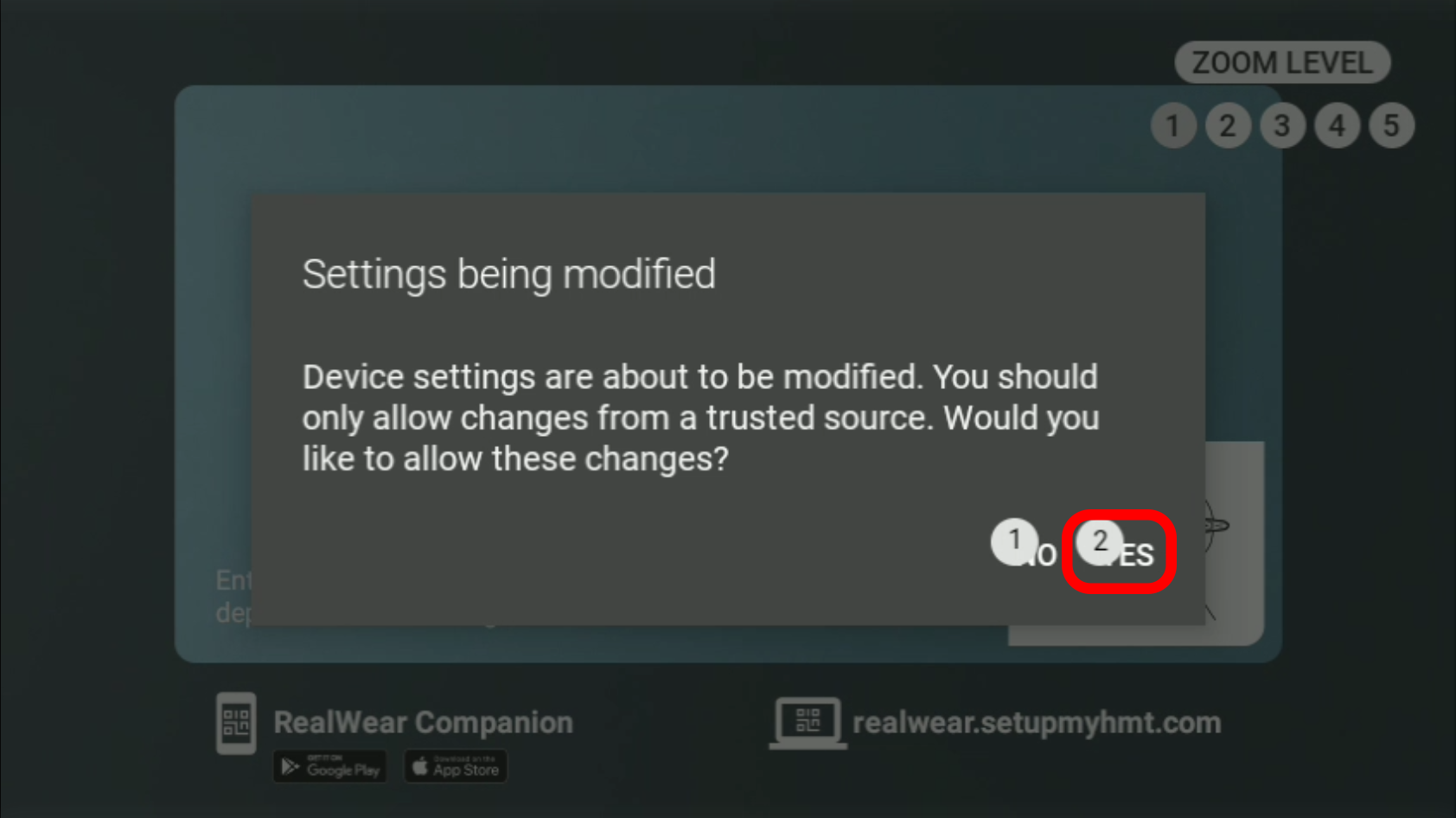 |
| 7. A QR code will appear on screen. Look at the code using the camera located on the HMT-1. | 8. A pop-up will appear titled Settings being modified, simply say “Yes” and the device will be setup with the previous included information. |
Was this article helpful?
That’s Great!
Thank you for your feedback
Sorry! We couldn't be helpful
Thank you for your feedback
Feedback sent
We appreciate your effort and will try to fix the article