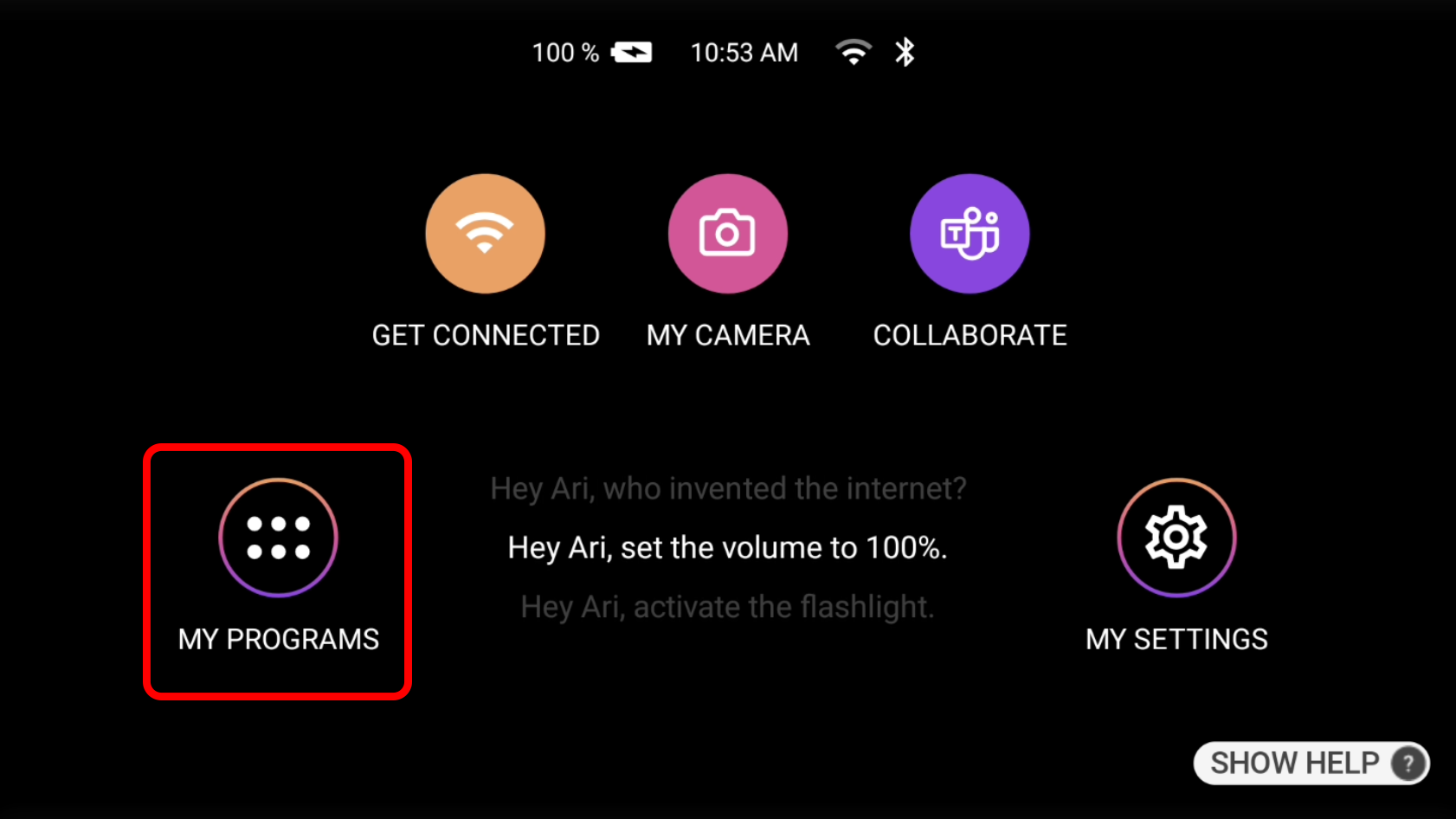
 | To Factory Reset the device, first visit the home screen by saying “Navigate Home” if not already there. Next say “My Programs”. |
| On the new page that appears, using the gyro scroll left/right until you see the Advanced Settings option. Simply say “Advanced Settings” to enter the next menu. | 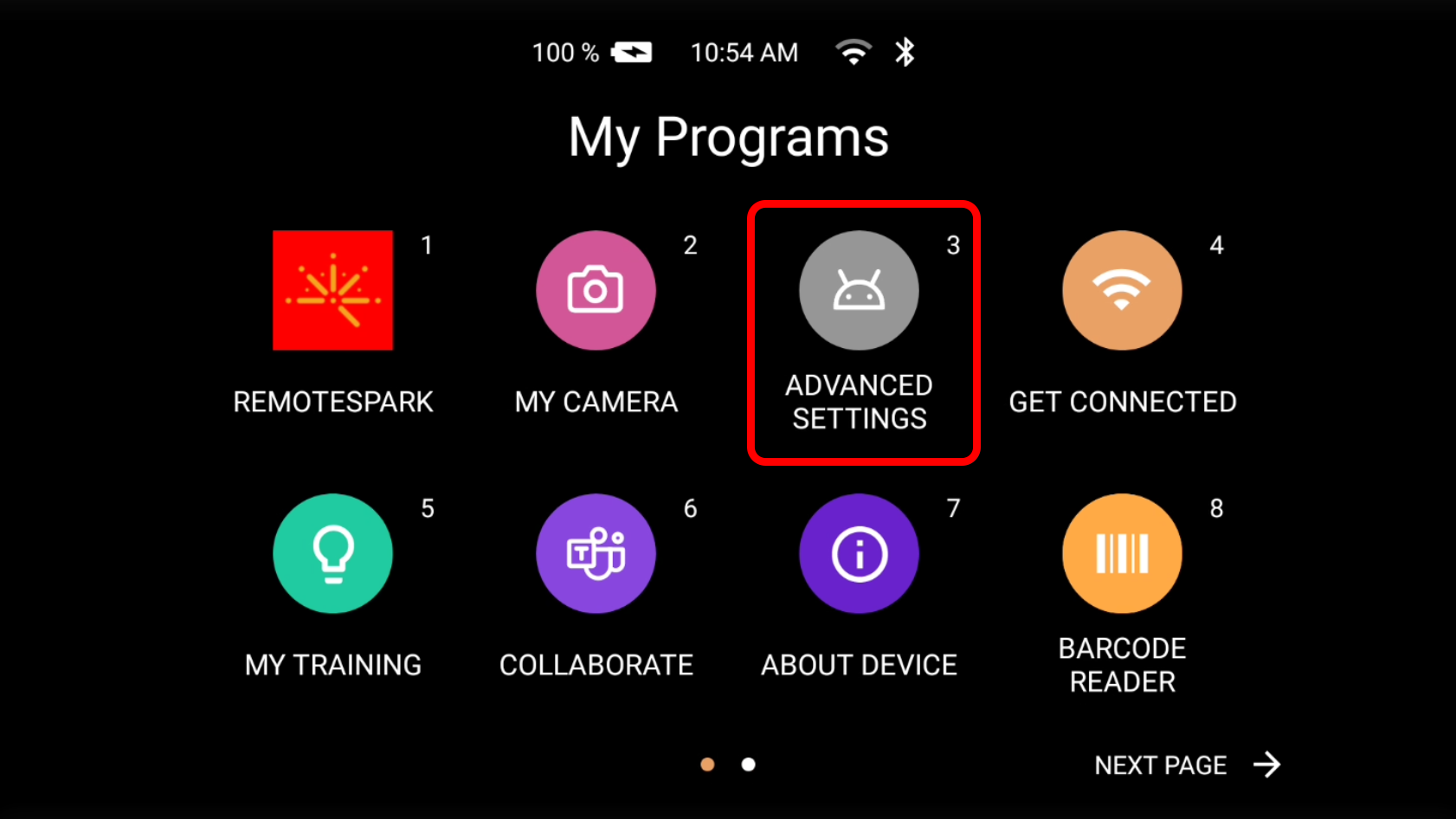 |
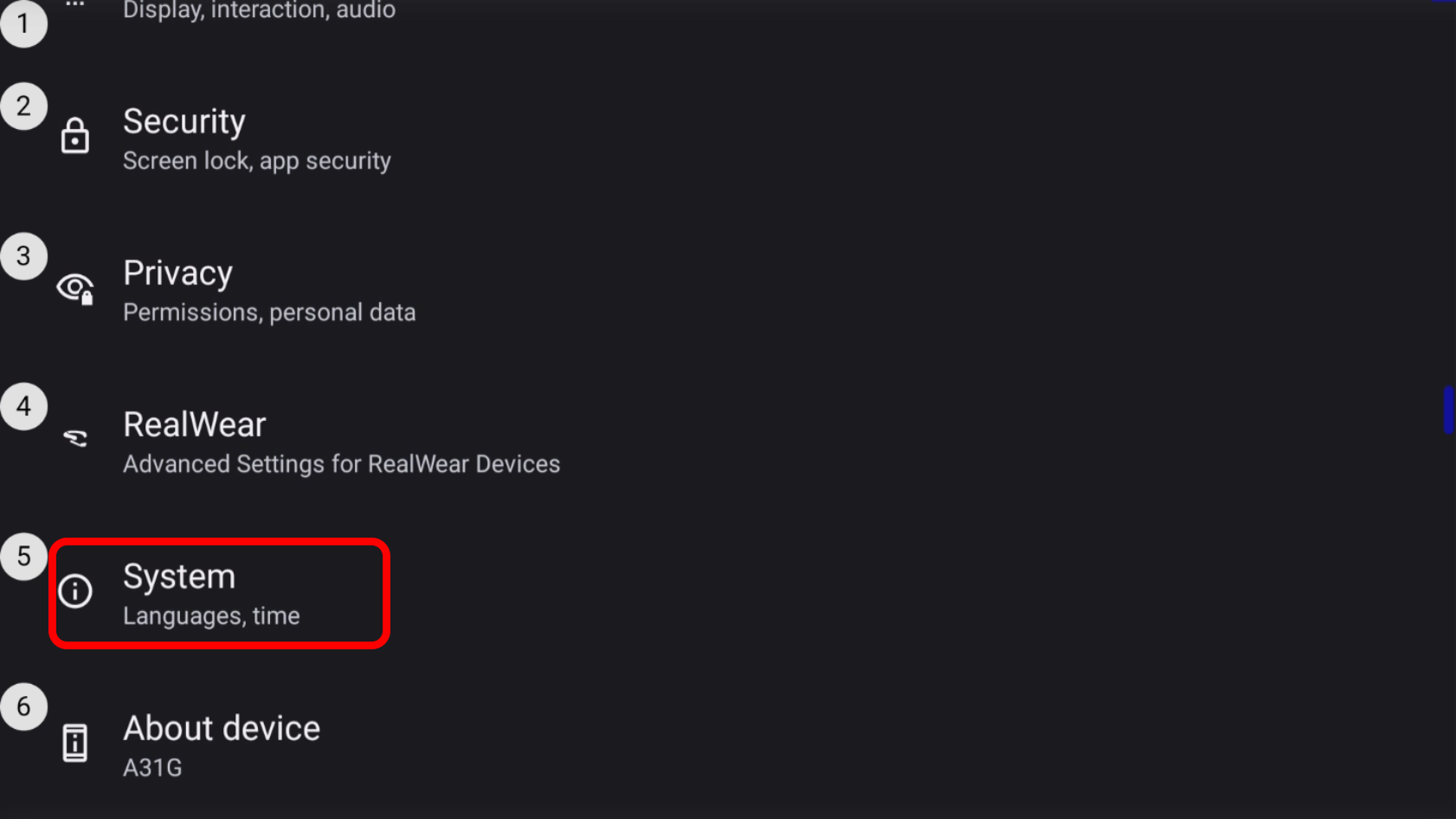 | In the new menu say “Page Down” until you are able to see the System option. Enter this menu by saying “System”. |
| In the System menu say “Reset Options”. | 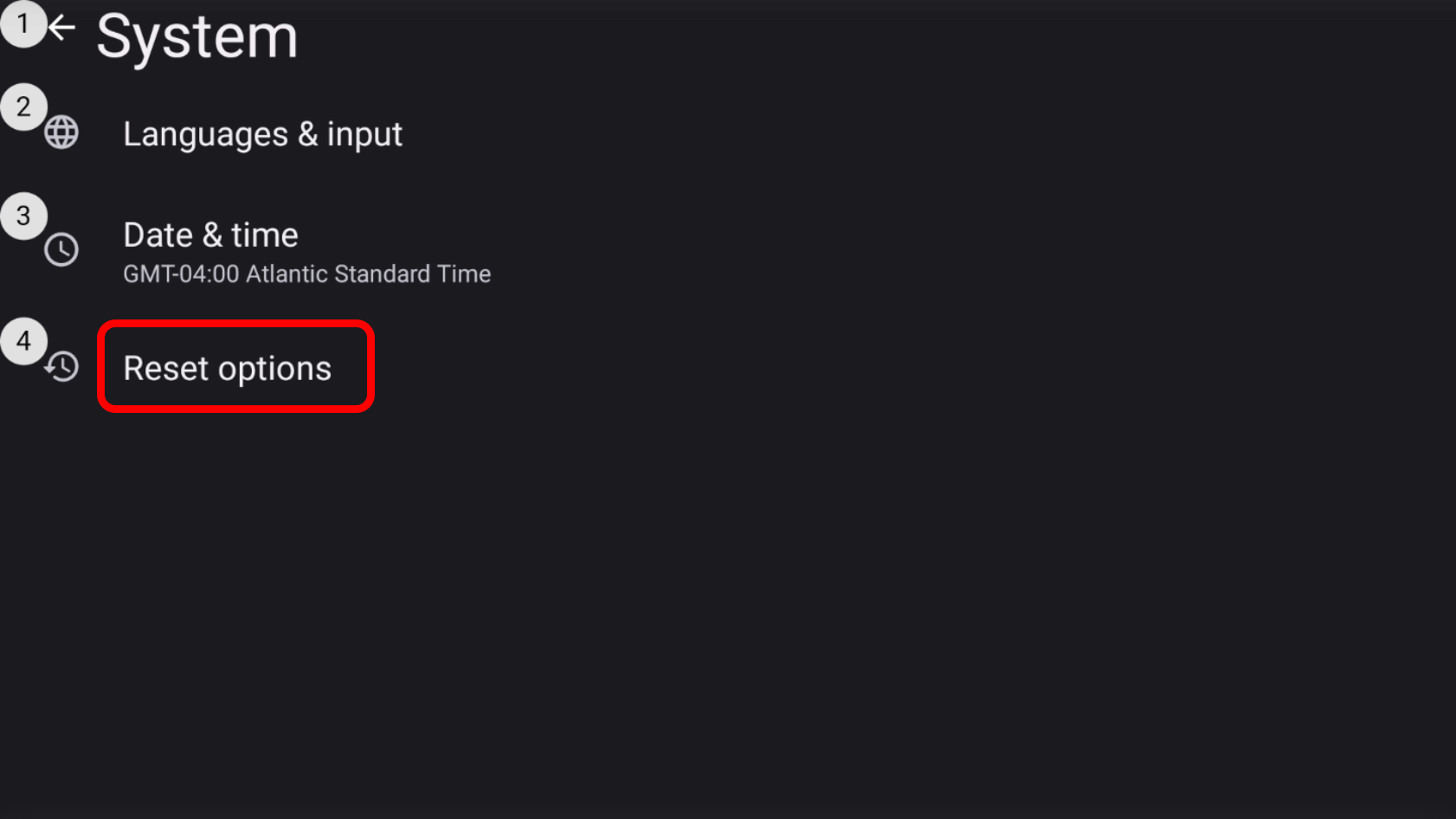 |
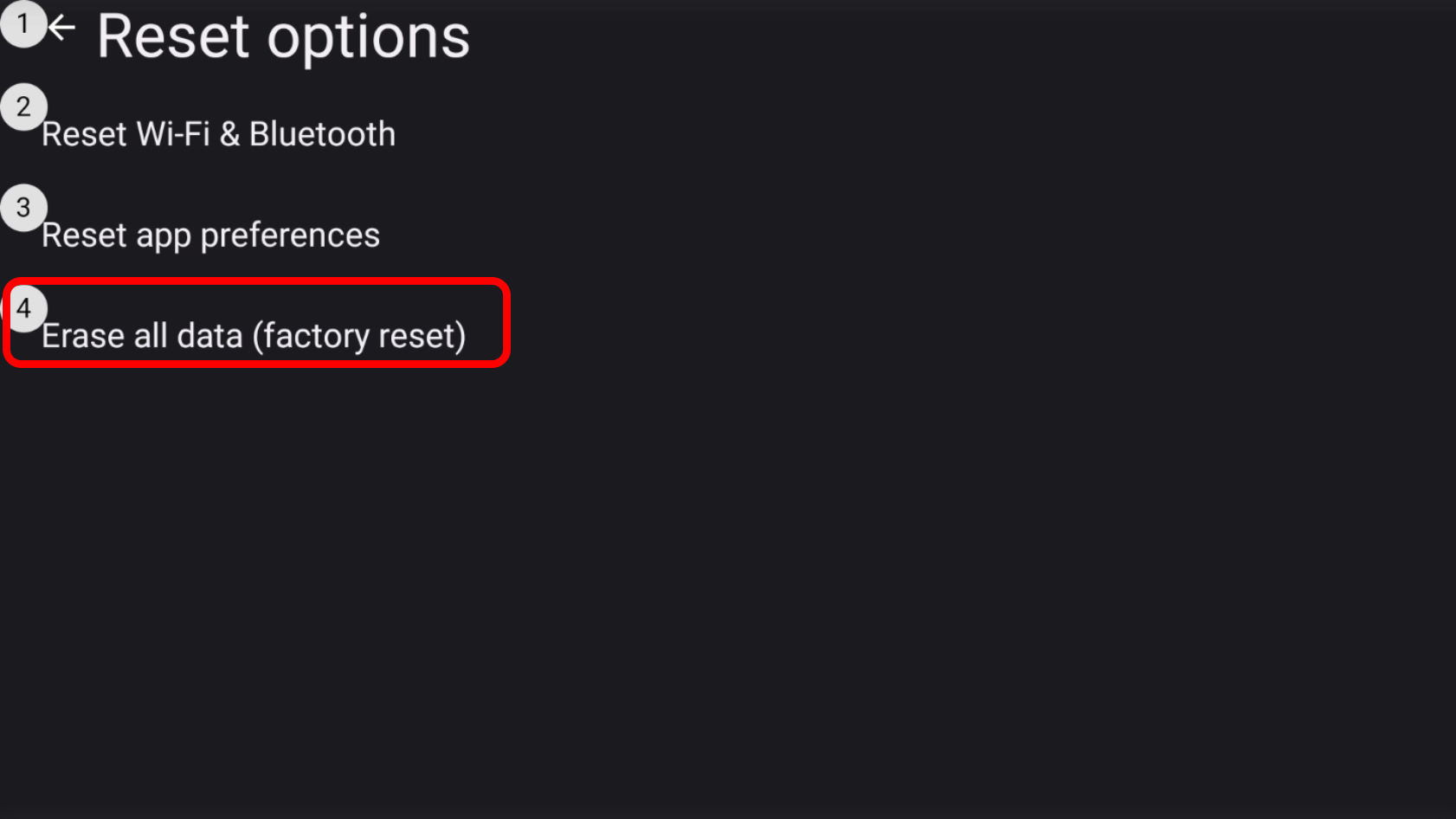 | In the Reset Options say “Select Item 4” or “Erase all data (factory reset)” |
| The device will mention all of what will be erased from the internal storage. Say “Erase All Data” to continue. | 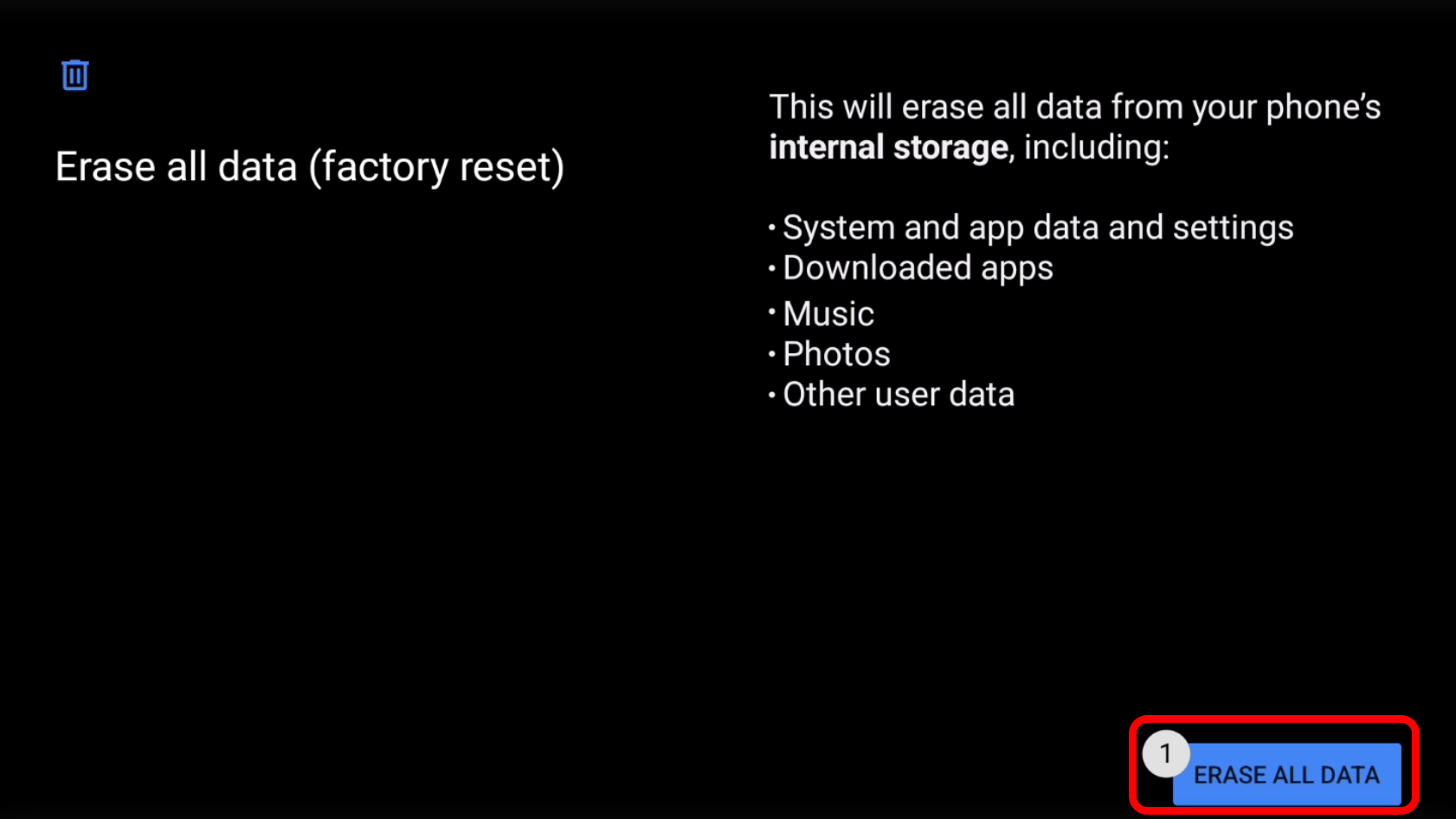 |
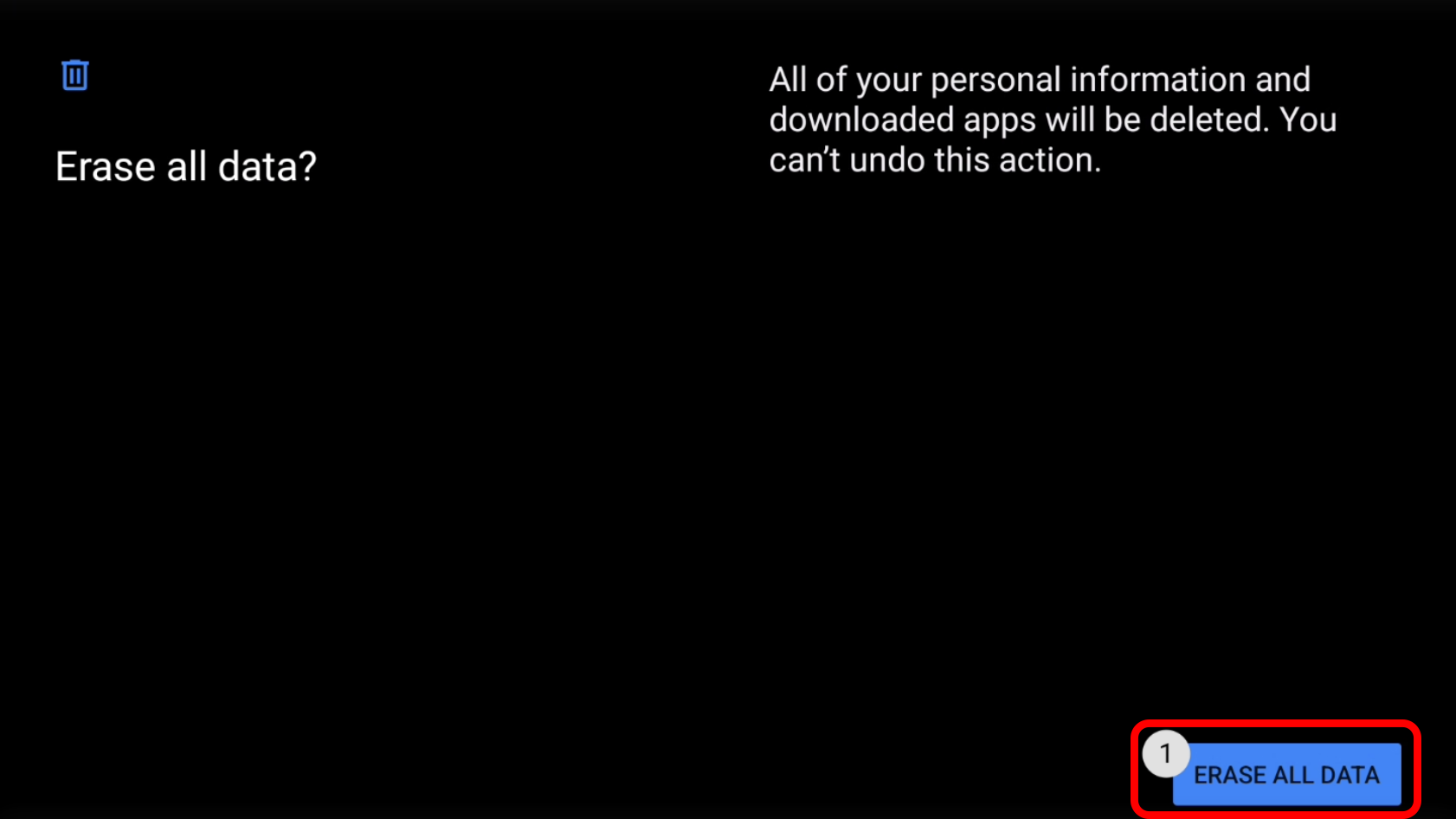 | A warning will then appear mentioning that erasing all data will not be reversible. If proceeding say “Erase All Data”. The device will then factory reset and will restart on the OS setup screen awaiting a QR Code. |
Was this article helpful?
That’s Great!
Thank you for your feedback
Sorry! We couldn't be helpful
Thank you for your feedback
Feedback sent
We appreciate your effort and will try to fix the article